Your music, at home.
A music app for the collection you own. It runs on your own computer and plays in any browser, on your desktop or your phone.
Free and open source · No account · No analytics
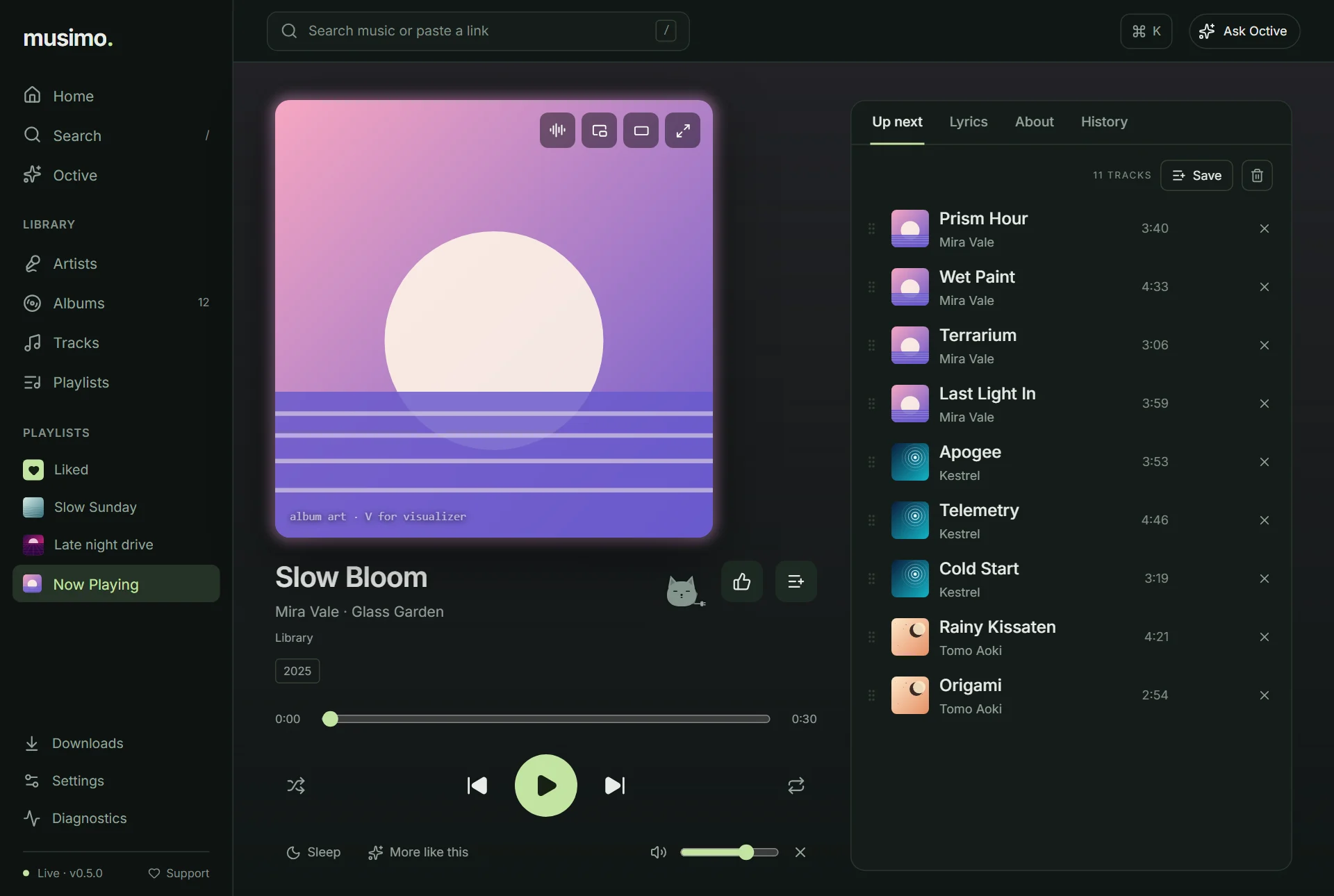
Streaming apps rent you music.
Your own files deserve better than a folder of filenames. Musimo turns them into a library you'll want to open.
It's yours.
It runs on your hardware, with no Musimo account and no analytics. Your library and your listening stay at home.
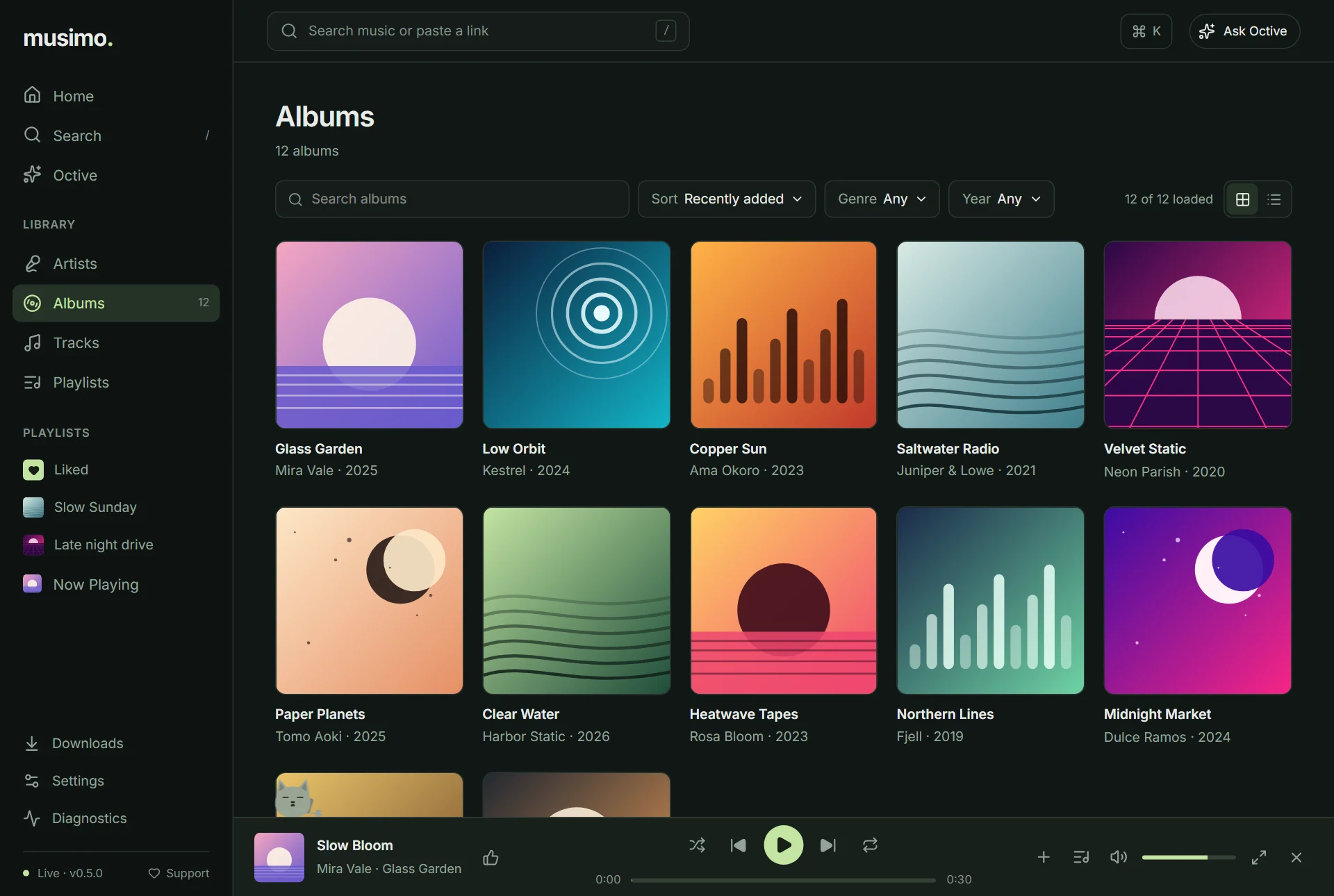
It's beautiful.
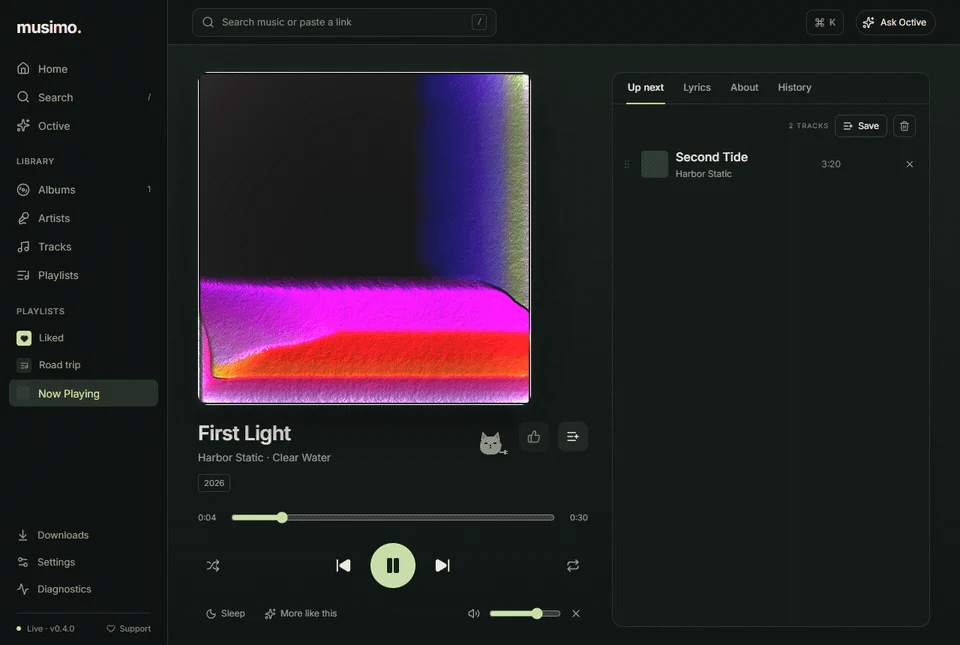
Covers fill the screen, the page takes on the album's colours, and a MilkDrop visualizer dances to the song.
It knows your shelves.
Search the catalog and every result tells you whether you already own it.
It's made for your phone too.
It isn't the desktop squeezed down. Each layout has its own phone design.
Plays your whole collection, beautifully
Gapless playback, optional crossfade, lyrics that follow along, a sleep timer, playlists and likes. Now Playing goes full screen or pops out into its own window.
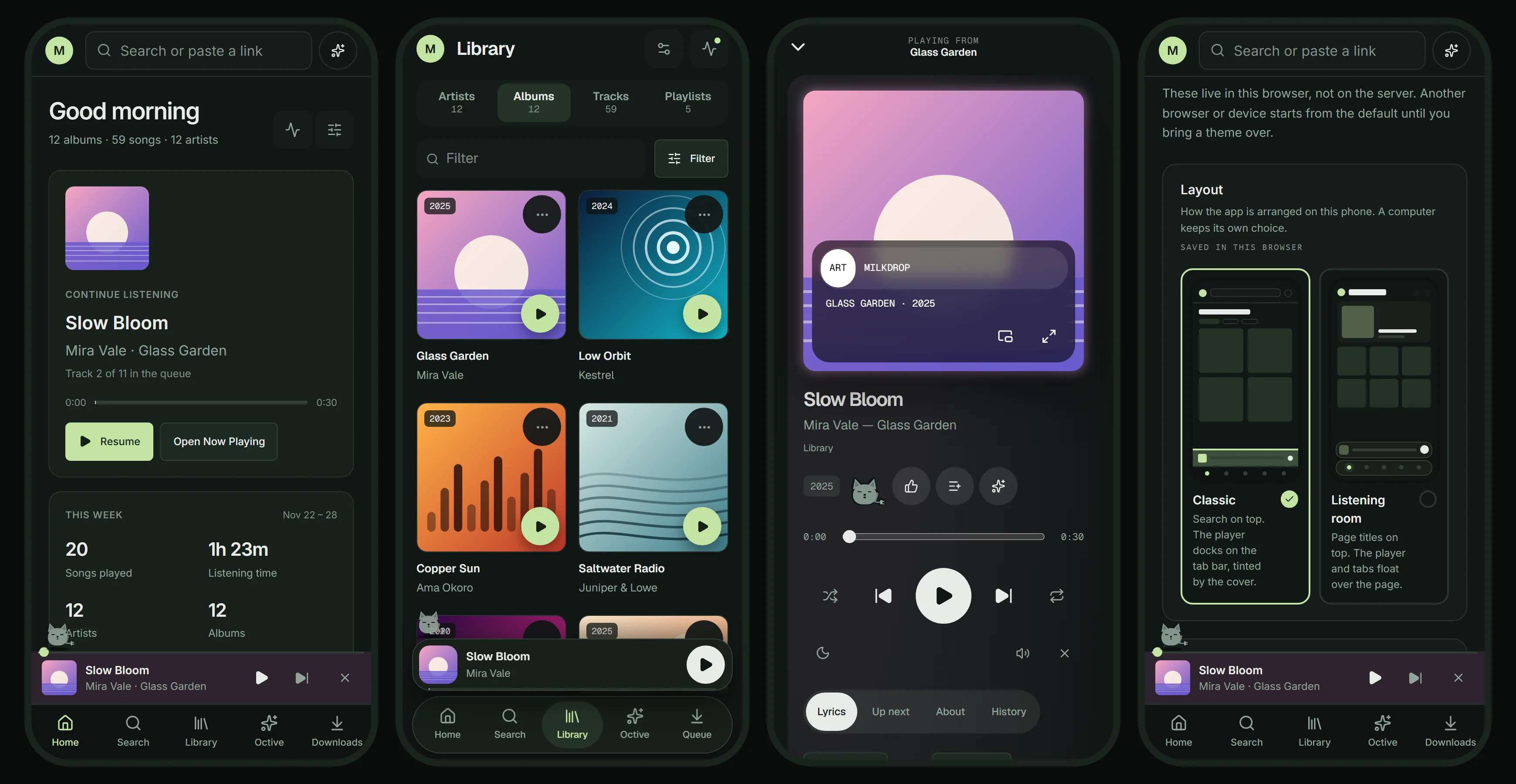
Fits in your hand
Two layouts, each with its own phone design. Classic docks the player on the tab bar, tinted by the cover. The Listening room floats it. Add Musimo to your home screen and it opens like an app.
-
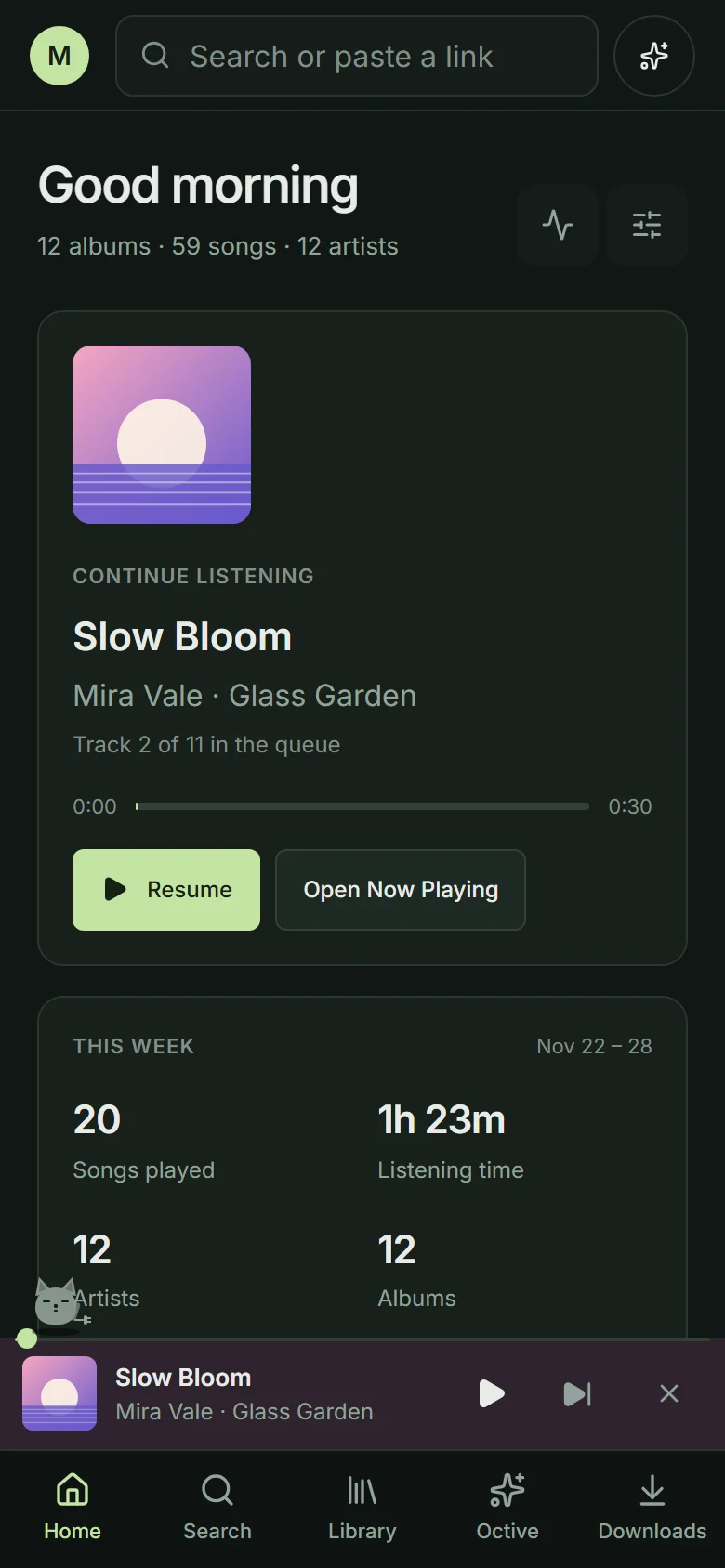
Classic · Home -
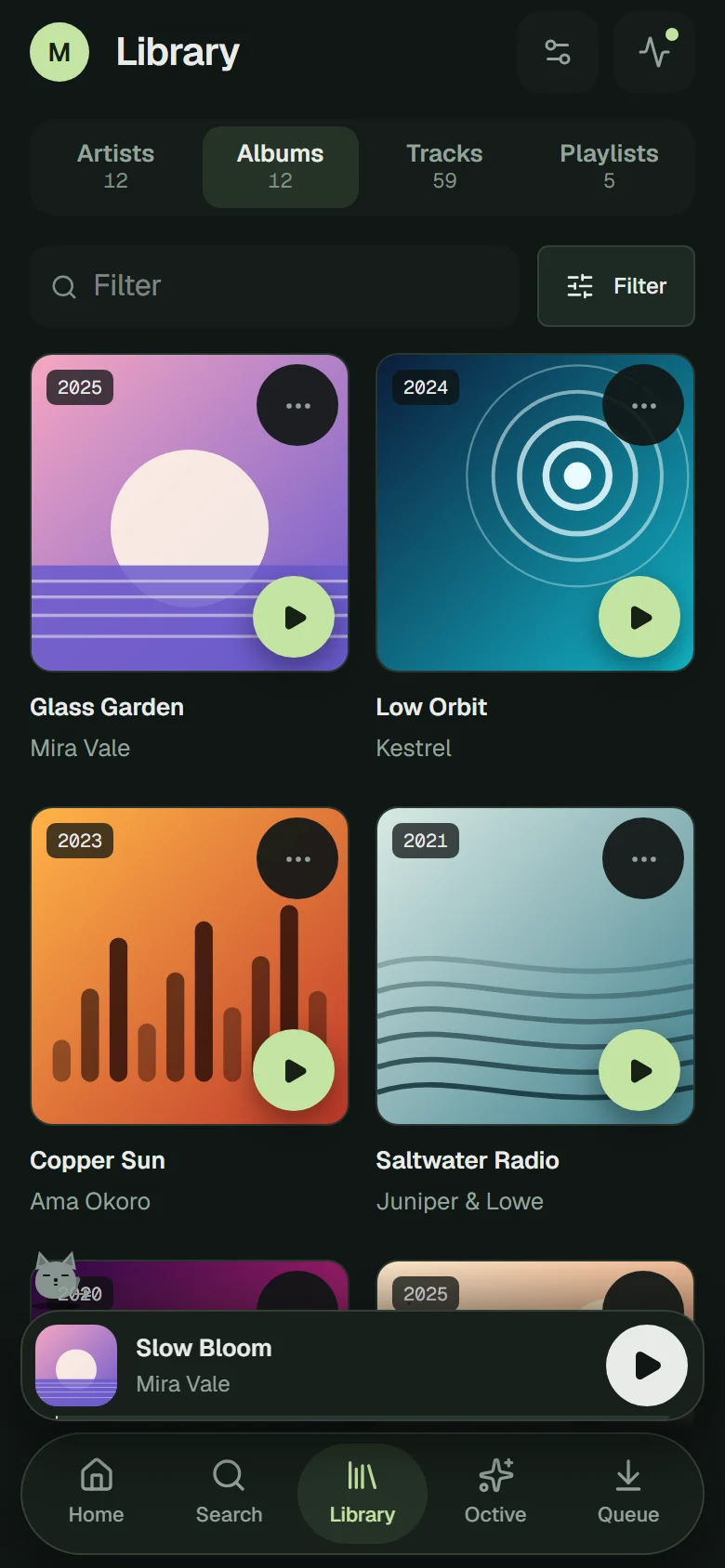
Listening room · Library -
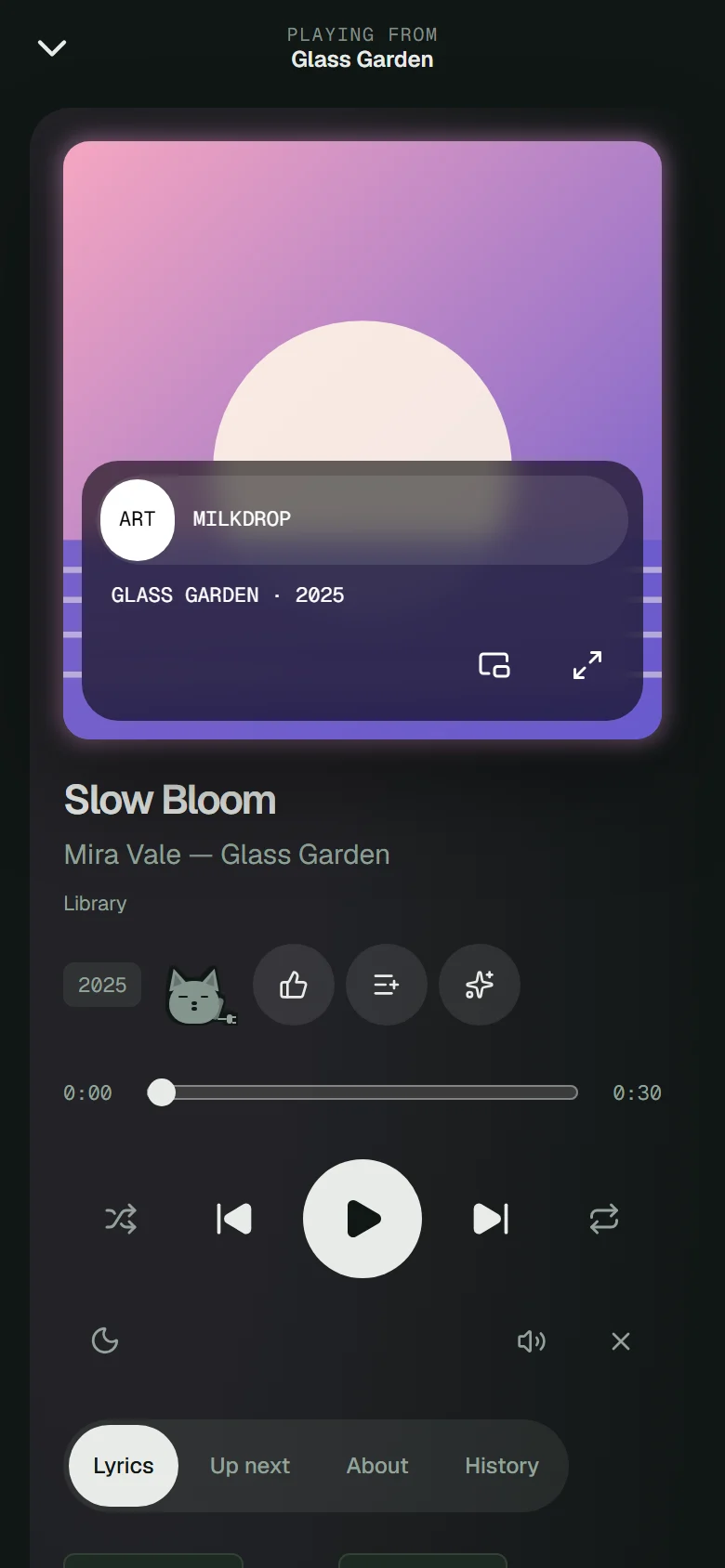
Listening room · Now Playing -
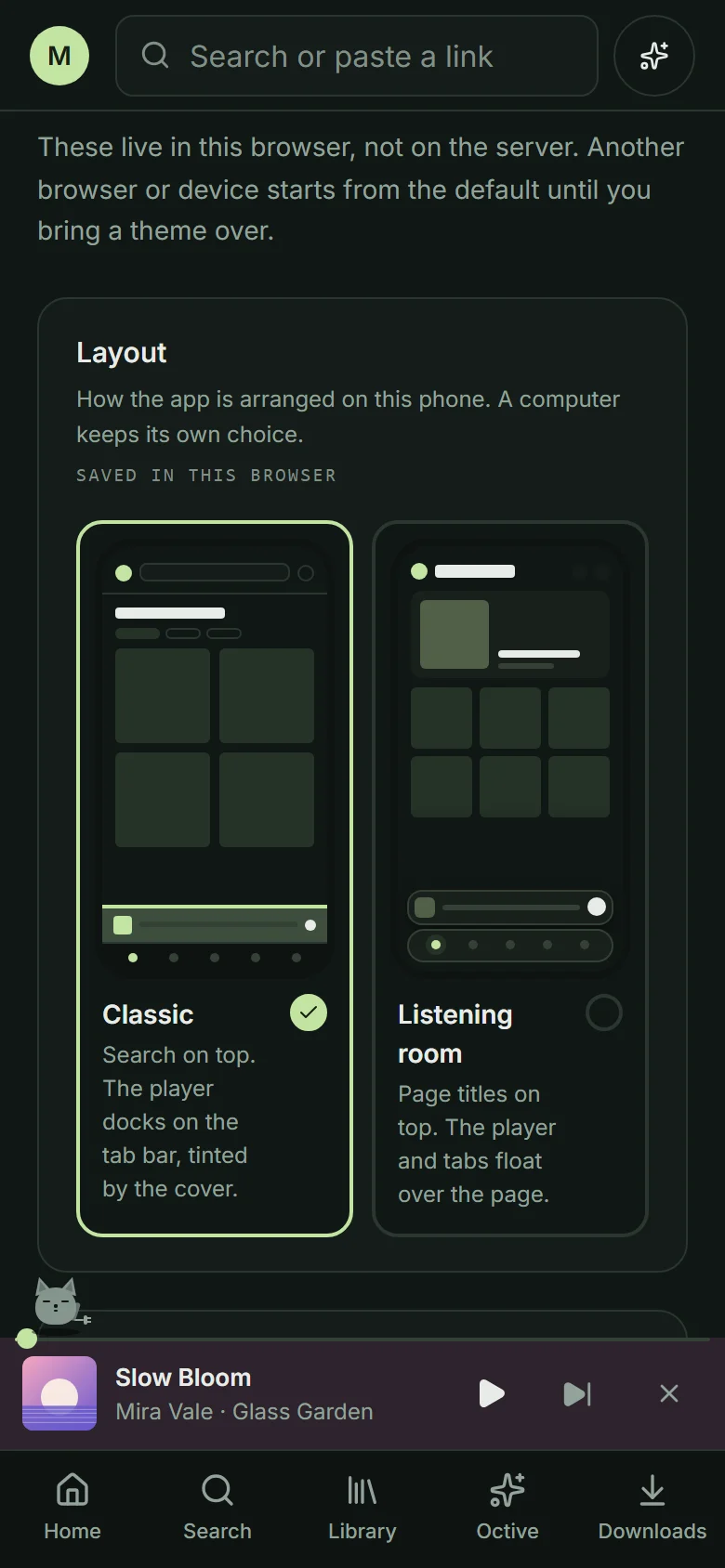
Settings · Pick a layout
Pick the room you listen in
Classic gives you a sidebar with your library and playlists. The Listening room keeps the player and Up next docked beside whatever you're browsing. Switch any time in Settings.
Find it, and know if you have it
Search tracks, albums, artists and podcasts. Every result is checked against your library, so you see what you own, what you own in another edition, and what's missing. Hear a preview before you decide.
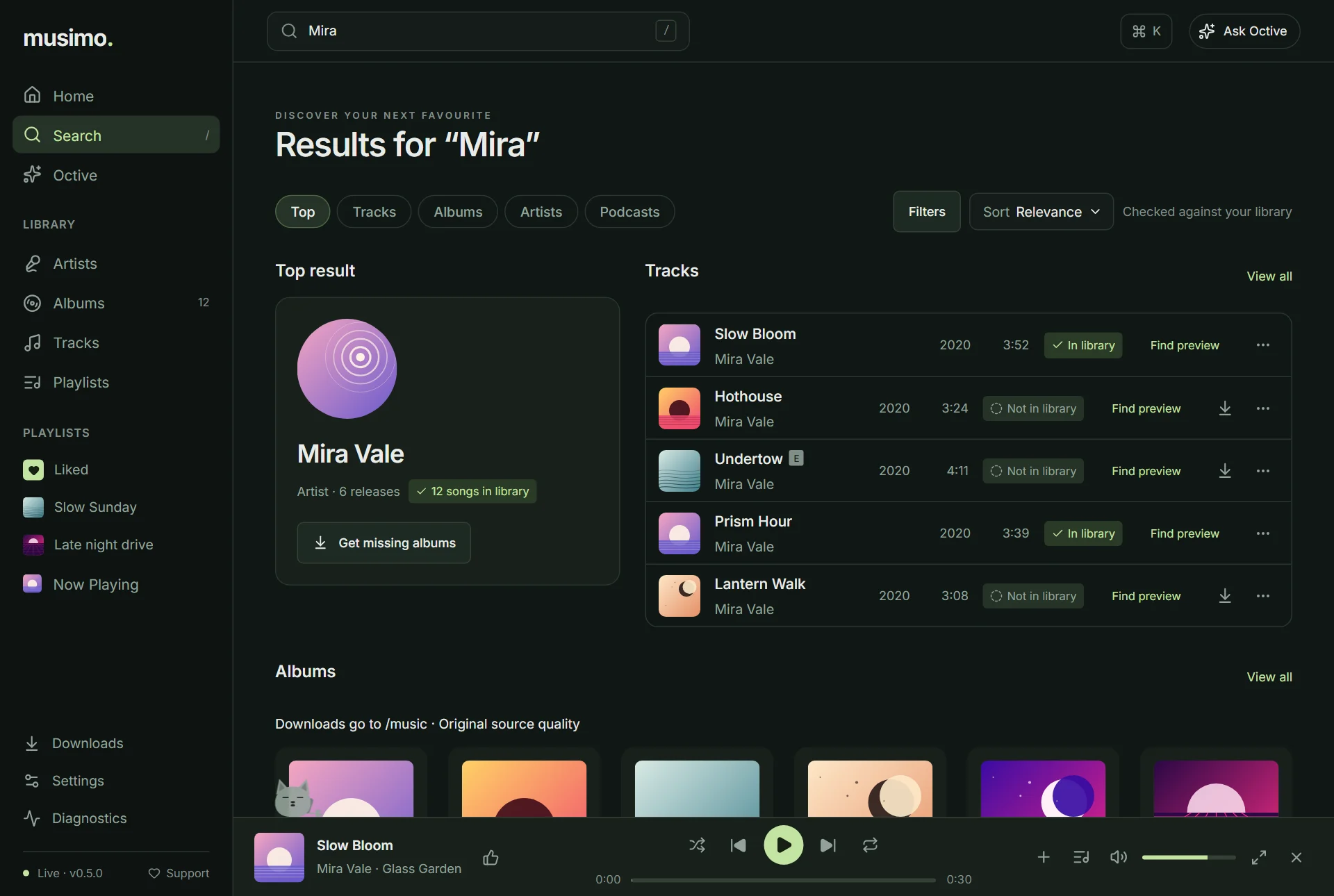
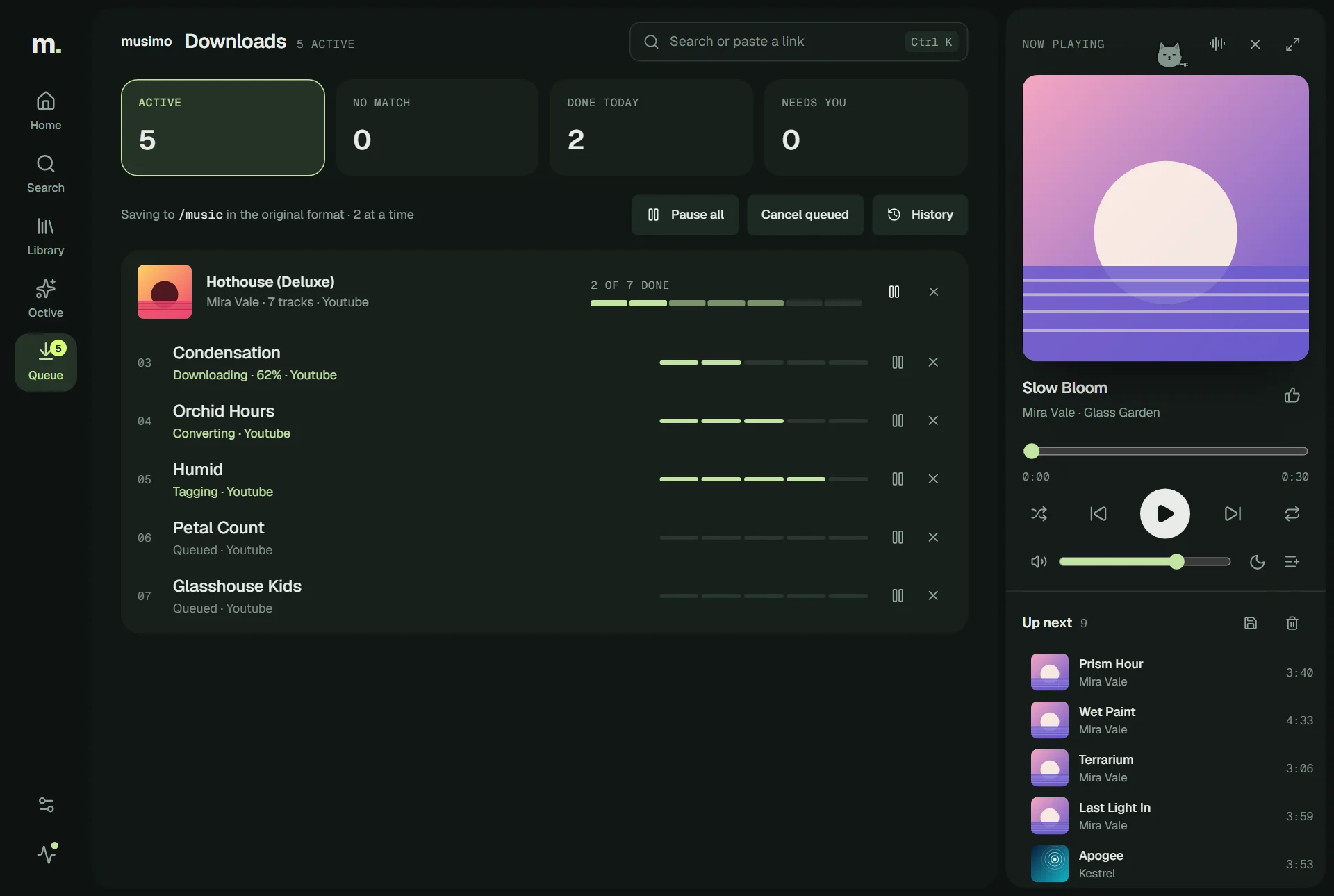
Fill the gaps you're allowed to fill
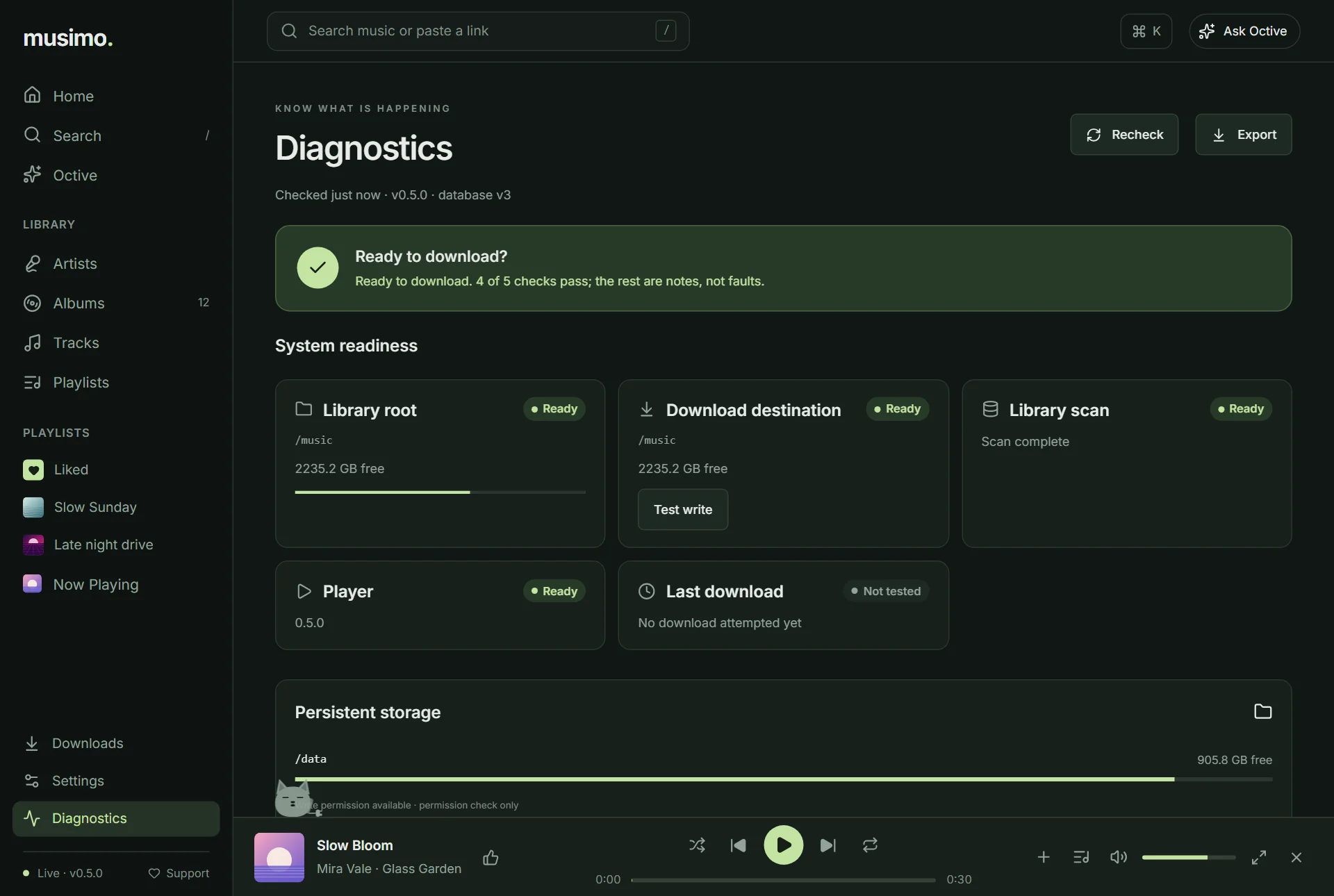
For music you have the right to keep, Musimo can download the missing songs into your library, tag them and put them in the right folder. If one fails, it says why in plain words and links to the fix.
Download only what you have the right to keep. Owning a copy or paying for a subscription doesn't on its own give you that right. Terms and responsible use
- 1Match
- 2Download
- 3Convert
- 4Tag
- 5Move
Ask for a mix
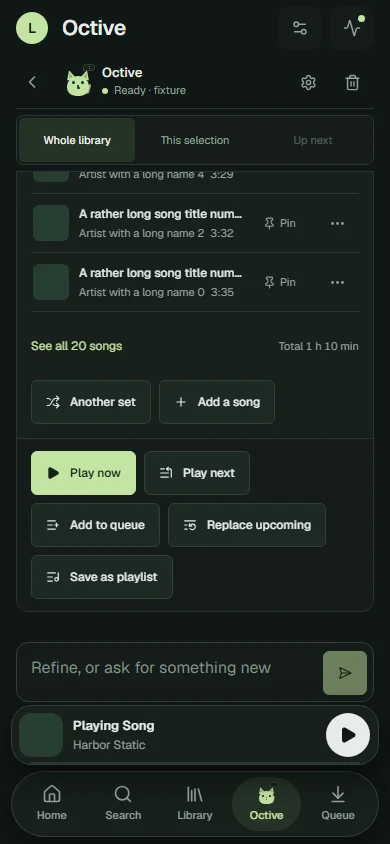
Octive, a small pet that sits on the player, builds a queue from your own library. It uses a model you run yourself with Ollama, so your requests stay on your own machines. You see the list before anything plays.
- an hour of 90s rock
- songs I haven't played lately
- more like this
The small things
Save from a link
Paste a link from YouTube, Bandcamp, SoundCloud, the Internet Archive and others to save it.
Podcasts
Find podcasts and save episodes.
Navidrome import
Bring over your playlists, likes and play counts.
Twelve themes
Pick one below, or make your own.
Pop-out player
Now Playing pops out into its own window.
Add to home screen
On your phone it opens like an app.
- Musimo dark
- Musimo light
- Slate dark
- Slate light
- Sunset dark
- Sunset light
- Violet dark
- Violet light
- Graphite dark
- Graphite light
- Windows 95 dark
- Windows 95 light
Musimo, Slate, Sunset, Violet, Graphite and Windows 95, each dark and light. Or make your own.
docker run -d --name musimo --restart unless-stopped \
-p 127.0.0.1:8765:8765 \
-v musimo-data:/data \
-v /path/to/your/music:/music \
ghcr.io/leahycc/musimo:latest
Put your own music folder in place of /path/to/your/music,
then open
http://127.0.0.1:8765.
Good to know
It's early.
Version 0.5.0 is an early release. It's tested, but expect rough edges. The changelog lists what's known.
Keep it on your own network.
There's no built-in login. To reach it from outside, put it behind a proxy with a login or a private network such as Tailscale.
Download only what you have the right to keep.
Owning a copy or paying for a subscription doesn't on its own give you that right. See Terms and responsible use.